

In this article we’re going to look at Google reviews vs Doctify reviews For most private surgeons, Google comes first. Google reviews sit on your Business Profile in Search and Maps, and Google says more reviews and positive ratings can help local ranking. Doctify is the better second channel: its reviews are checked against a patient’s phone number, moderated before publishing, and easy to show on your own website.
Below, the two are compared side by side on eight points, then one at a time, followed by which suits your practice.
The comparison at a glance
| Google reviews | Doctify reviews | Edge | |
|---|---|---|---|
| Where patients see them | Your Business Profile in Google Search and Maps | Your Doctify profile, and widgets on your own site | |
| Effect on Google local ranking | Named by Google as a ranking factor | Not mentioned in Google’s ranking guidance | |
| Checks on the reviewer | Automated and human moderation | Phone number check and moderation before publishing | Doctify |
| Healthcare focus | General, the same system as a restaurant | Built for patients, with treatment-specific reviews | Doctify |
| Showing reviews on your own website | Up to five through Google’s API, or a third-party plugin | Doctify widgets and trust badges | Doctify |
| Cost | Free | Free profile, paid features priced on request | Even |
| Replying and removing | Public replies, no deleting | Public replies, no deleting | Even |
| Rules on asking | No incentives, no asking only happy patients | The same UK law applies | Even |
Google wins on two points, Doctify on three, and three are even. Google’s advantages are about being found in search. Doctify’s are about how much weight a patient gives each review.
Where patients see them
Google reviews: they appear on your Google Business Profile, which shows in Google Search and Maps when a patient searches your name or a specialty near them. Google allows individual practitioners such as doctors to have their own profile if they are public-facing and can be contacted at the verified location during stated hours.
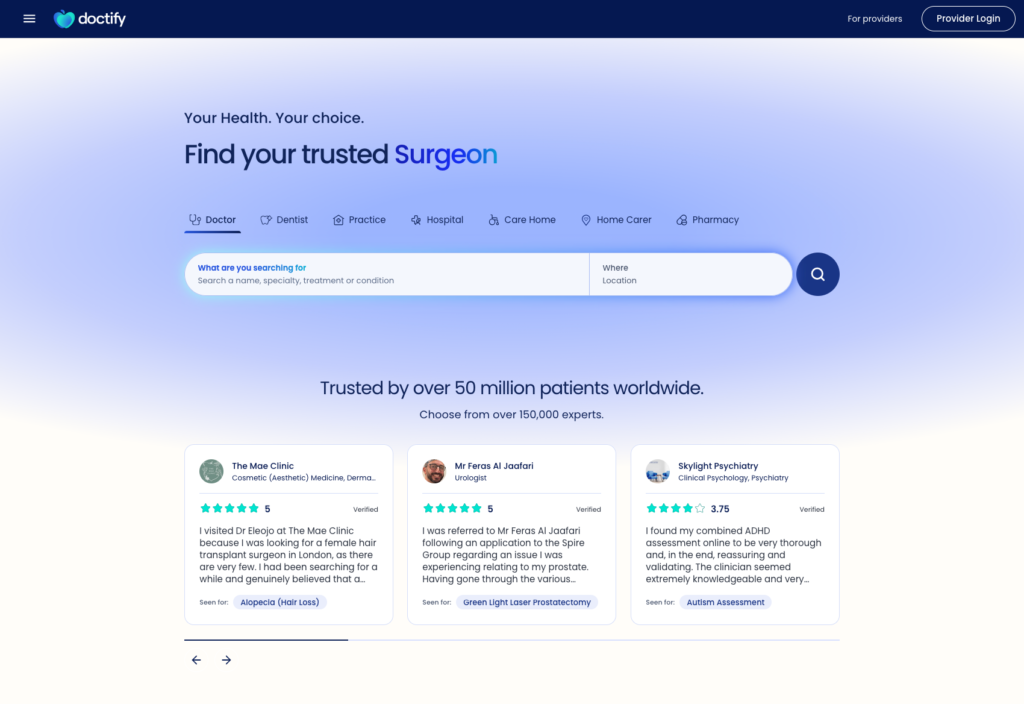
Doctify reviews: they appear on your Doctify profile and on any Doctify widget you add to your own site. Your Doctify profile is a public web page, so it can also appear in Google results for your name.
Edge: Google. Your star rating shows in Google’s results before a patient clicks through to any site.
Effect on local search ranking
Google reviews: Google’s own guide to how local results are ranked lists relevance, distance and prominence. Under prominence it states that more reviews and positive ratings can help a business’s local ranking.
Doctify reviews: Google’s ranking guide does not mention third-party review sites. Doctify reviews may still help a patient choose you, but there is no published evidence that they move your Business Profile up the local results.
Edge: Google.
How reviews are checked
Google reviews: reviews are left from a Google account. Google uses machine learning and trained human operators to catch fake content, and its Maps content policy removes reviews not based on a genuine experience.
Doctify reviews: according to Doctify’s patient FAQ, a reviewer gives a mobile number and gets a text. If they don’t opt out within 7 days, the review is treated as verified. It is then moderated before publishing, which can take several working days. Each patient can leave one review per provider every 30 days.
Edge: Doctify. A patient reading your reviews has more reason to believe each one is from a real patient.
Healthcare focus
Google reviews: the same system covers cafes, garages and consultants. Patients rate you with stars and free text, with no structure for medical care.
Doctify reviews: Doctify is built for healthcare. Its provider page lists treatment-specific reviews, so a patient can read what others said about the procedure they need.
Edge: Doctify.
Showing reviews on your own website
Google reviews: Google’s Places API returns a maximum of five reviews for a place. Showing more usually means a third-party plugin.
Doctify reviews: Doctify offers review widgets and trust badges that you can style to match your site. [VERIFY: whether Doctify widgets are included in the free profile or need a paid plan.]
Edge: Doctify. Whichever you use, reviews shown on your own site count as marketing, and the ASA’s testimonial guidance requires you to be able to show they are genuine.
Cost
Google reviews: free. Setting up and managing a Business Profile costs nothing.
Doctify reviews: Doctify describes its profile as free to use for consultants and other registered healthcare professionals. Extra features are sold separately, and Doctify’s provider pages do not list prices.
Edge: even, for the core service. Check what a paid Doctify plan adds before signing up for one.
Replying and removing reviews
Google reviews: you can reply publicly to any review. You cannot delete one, but you can flag it if it breaks Google’s policies.
Doctify reviews: you can reply publicly. Doctify’s FAQ says providers cannot delete or edit reviews because they disagree with them. Flagged reviews are temporarily unpublished and assessed by Doctify’s Clinical Governance Committee.
Edge: even. On both sites, keep replies general. The GMC’s guidance on responding to criticism says your duty of confidentiality still applies when a patient criticises you in public.
The rules on asking for reviews
Google reviews: Google’s content policy bans offering incentives for reviews, discouraging negative reviews, and asking only happy patients. A review link or QR code, sent to everyone, is what Google recommends.
Doctify reviews: the same UK law applies. Since 6 April 2025, the Digital Markets, Competition and Consumers Act 2024 bans fake reviews and concealed incentivised reviews. The CMA’s fake reviews guidance (CMA208) adds that encouraging only satisfied customers to review, or stopping and starting review invitations arbitrarily, can count as publishing reviews in a misleading way.
Edge: even. Ask every patient, at the same point in their care, with no reward. This is general guidance, not legal or regulatory advice.
In my experience: Sam Stratton
When we audit a surgeon’s online presence, the reviews are often spread across Google, Doctify and a hospital page with no plan behind them, and the counts are small on all three. The surgeons who build a steady flow of reviews ask every patient at the same point, usually in the follow-up message after their last appointment. I’d rather see one review channel used properly than three used now and then.
Which do you need?
| Your situation | What we’d suggest |
|---|---|
| You see patients at your own consulting rooms | Google first, with Doctify alongside it |
| You only see patients at a hospital and have no Google Business Profile of your own | Check Google’s rules for individual practitioners, and use Doctify in the meantime |
| Your website has no patient feedback on it | Doctify, for the widget |
| You have plenty of Doctify reviews and few on Google | Point new review requests to Google |
| You want patients to find reviews about a specific procedure | Doctify, with treatment-specific reviews |
iWantGreatCare and Top Doctors also host consultant reviews. Keep your details accurate on any profile that exists, even if you don’t ask patients to use it.
Using both together
Split requests by a fixed rule. If you use both, decide which link a patient gets by something neutral, such as the month or the hospital, never by how happy they seemed. Sending only satisfied patients to Google is the selective asking that Google’s policy and the CMA guidance both rule out.
Keep your details identical. Use the same name format, specialties and hospitals on your Google Business Profile, Doctify and every other directory. Our post on your own website vs a hospital profile covers why matching details matter.
Reply to both. A short, general reply on each site shows patients the profile is looked after.
Our SEO and content service includes setting up and maintaining your Google Business Profile alongside your website.
Frequently asked questions
Do Doctify reviews show up on Google?
Your Doctify profile is a public web page, so it can appear in Google results when a patient searches your name. Doctify reviews do not count towards your Google star rating or review count, which come from reviews left on Google itself.
Can I offer patients something in return for a review?
No. Google’s content policy bans incentives such as payments, discounts or free services in exchange for reviews. Under the Digital Markets, Competition and Consumers Act 2024, an incentivised review that hides the incentive is banned in the UK.
Can I delete a negative review on Google or Doctify?
No. Neither Google nor Doctify lets a consultant delete a review. Both let you flag a review you believe breaks their policies, and both let you reply publicly. Keep any reply general, because your duty of confidentiality to the patient still applies.
Can I ask only my happiest patients to leave a review?
No. Google’s policy bans selectively asking for positive reviews. The CMA’s fake reviews guidance says encouraging only satisfied customers to review can count as publishing reviews in a misleading way. Ask every patient in the same way.
Is Doctify free for consultants?
Doctify says its profile is free to use for consultants and other registered healthcare professionals. Doctify also sells paid features, but does not list prices on its provider pages, so ask Doctify directly what a paid plan adds before you commit.
Want to see how your reviews and profiles look to a patient? We’ll check your Google Business Profile, your Doctify and hospital profiles, and your website, then send you a plain-language summary. It’s an assessment, not a sales call. Request a free audit.